
 | Main Order Page
| List All Items
|
| Main Order Page
| List All Items
| 
This page describes our secure on-line ordering system and how to order from Tech Edge. We urge you to understand how it works and to use it rather than taking the "easy" option of emailing us and asking for a quote.
We have two main order pages - a categorised list of parts and a list of all prices. many product pages also have a small section where you can order one item, like this ...
 To order the item simply click on the Add to Cart button,
perhaps first changing the quantity if you need more than the default one (1) item.
You will have the opportunity to change the quantity later or even to delete the item from your shopping cart.
To order the item simply click on the Add to Cart button,
perhaps first changing the quantity if you need more than the default one (1) item.
You will have the opportunity to change the quantity later or even to delete the item from your shopping cart.
Many pages will have a View Shopping Cart button like this ...
Click on it now to show what's in the shopping cart. Return here by pressing the Back button at the top left of the cart display. If your cart was empty, click on the Add to Cart button in the previous paragraph. Don't worry, you can remove any items there by simply clicking on the Remove button in the Cart Function column (see image at right). You can even remove all items by clicking on the Empty Cart button. You will be asked to confirm each action with an OK - Cancel dialogue so you won't lose items unexpectedly.
Lastly, each press of the Add to Cart button will increment the QTY column in the cart, so make sure you have ordered the correct quantity of each item. If you have not done so already, try adding and deleting the LSM11 sensor to/from your cart.
On many product pages you may also see multi-selection products like this ...
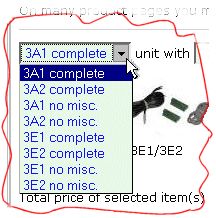
On these types of pages you can customise your selection and build the product as you'd like it.
 Simply select the type of item (click on the down-arrow: see image at left)
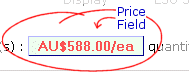
from the drop down menu boxes and watch the price field (see image at right) update automatically.
Simply select the type of item (click on the down-arrow: see image at left)
from the drop down menu boxes and watch the price field (see image at right) update automatically.
The following browsers have been tested and (should) work:
|
If you don't see things displayed as you think they should then click on the feedback link below to leave us a message. More help will be available as we expand and refine our on-line ordering system.
The shopping cart view shows the calculated weight of each item and the total for all goods. If you require other than standard Air-mail shipping, which uses the postal service at your end (which we find is very reliable for most destination) then the weight can be used to estimate shipping costs. If you select the ECI upgrade when you check out then your goods will be dispatched using the Australia Post Courier Service and the form of delivery, although via courier, is very destination dependant.
We can also ship via FedEx to most destinations but it's considerably more expensive for our average shipments. However, if your order reaches 6 or more kg shipped weight, then FedEx can be as cheap as Airmail, and also provides a tracking service.
| Shipping Method | Cost | Insurance | est. Speed to USA | est. Speed to Europe | details of delivery |
| Air Mail (default) | lowest | optional | 5-10 days | 6-14 days | normal local postal service |
| ECI Courier | mid range | optional | 3-4 days | 4-6 days | courier, either postal or contracted |
| FedEx | highest | included | 2-3 days | 3-4 days | FedEx or local courier under FedEx contract |
It is important to note that, to certain destinations, if you select postal air-mail (the default) we cannot insure your goods. For some destinations this lack of insurance extends to ECI courier. These places are usually smaller countries that cannot guarantee local postal deliveries for whatever reason. Included is Germany and others where Australia Post could not come to agreement with them. Because things can change, we assume that insurance will be available to your destination, and will charge you for insurance unless you specifically ask for no insurance by checking that option from the shopping cart, or if you request special circumstances later in the order process when you can enter any special information about your order. If you have specific questions then see our contact page and ask Dianne for specific advice. Remember, we have been shipping globally for several years and we have very few actual problems that can't be readily resolved.